How to Pack a TV for Moving Safely
Protect a television with the right box, layered padding, careful carrying, and an inspection plan for arrival.
Prepare the TV before packing
Give the television its own packing plan instead of treating it like another flat box. Turn it off, let it cool, and disconnect every cable. Photograph the back before removing anything, then label the power cord, remote, streaming device, and any wall-mount hardware. Keep those accessories together in a resealable bag, but do not tape the bag directly to the screen or the finished bezel.
Remove the stand if the manufacturer designed it to come off. Wrap the stand and screws separately, and note which side or mounting holes they use. If the TV is still under warranty or has unusual mounting hardware, keep its original instructions with the accessories. Exact needs vary with the screen size, shape, stand, and packaging you have.
Measure the screen, box, and route
Measure the television at its widest, tallest, and deepest points, including the stand if it will stay attached. Measure the box too. Leave room for protective layers without letting the screen touch the carton walls, then fill extra space so the set cannot slide.
- Record the TV width, height, depth, and approximate packed dimensions.
- Measure doorways, stair turns, elevators, and the path to the vehicle.
- Count the stand, power cord, remote, console cables, and wall-mount parts in your inventory.
- Note any existing screen damage and keep the photos with the move records.
- Reserve a safe place where the wrapped TV can wait upright before loading.
Use the original box when it still fits
The original carton and molded inserts are usually the easiest match because they were made for that TV's shape. Check that the foam is intact, the carton is dry, and the screen sits in the intended orientation. Add accessories only where the packaging keeps them away from the panel.
If the original box is missing, crushed, damp, or too small after accessories are removed, choose a sturdy television or flat-screen moving box from a supplier. A telescoping box can help with different screen sizes, but its fit still needs to be checked. Do not force a large TV into a carton that bows or leaves the screen touching cardboard.
Build protection around the screen
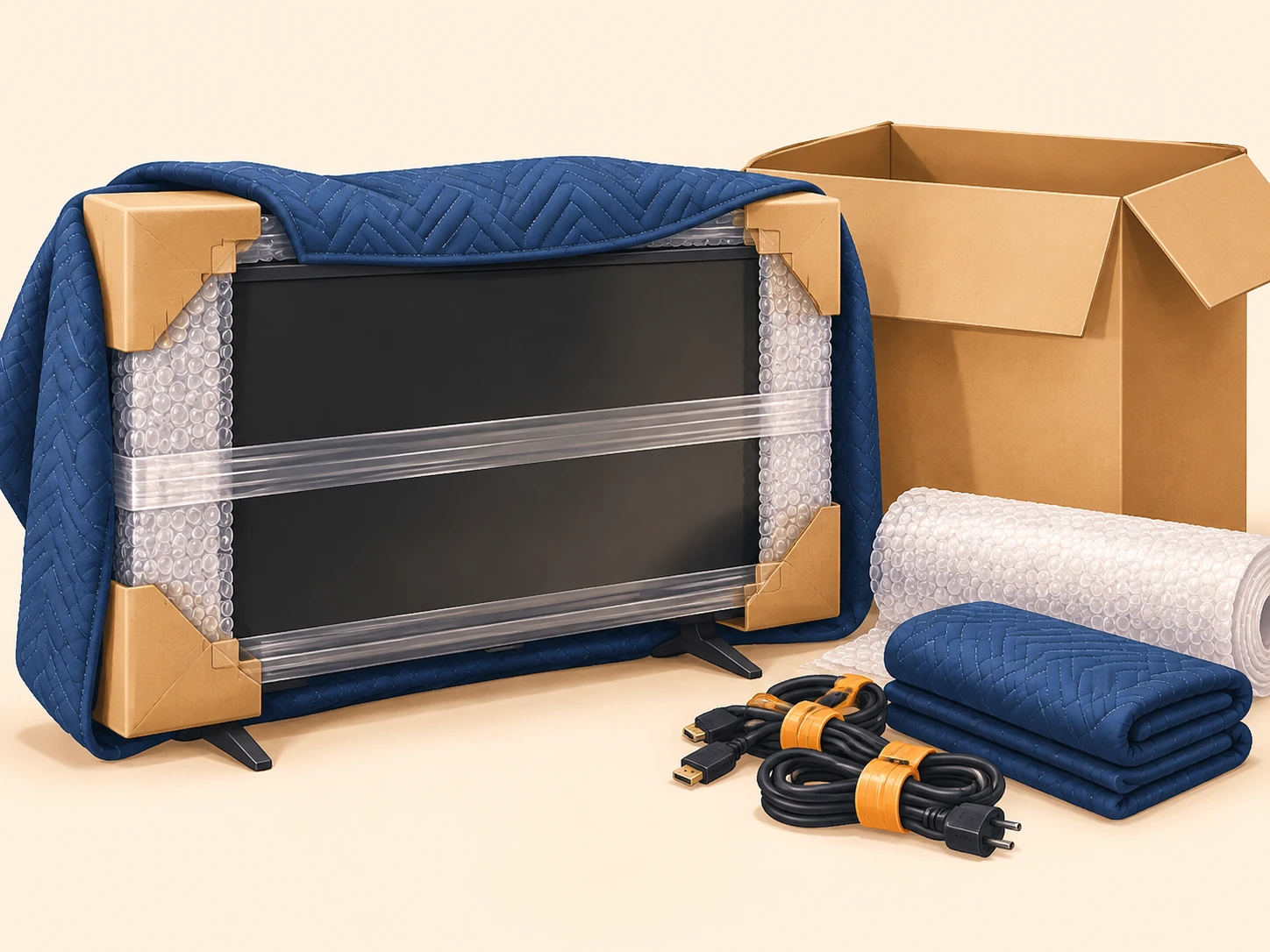
Start with a clean, soft non-abrasive layer over the screen. A thin foam sheet or a clean moving pad can prevent surface contact. Avoid putting tape, labels, or rough paper directly on the display. Add bubble wrap around the protected set, giving extra attention to corners and edges rather than pressing a thick layer tightly against the panel.
A furniture blanket can go around the outside of the bubble wrap when the TV will be carried a longer distance or handled in a busy loading area. The blanket cushions contact, but it should not be the only layer. Keep the wrap snug enough to stay in place and loose enough that it does not compress the screen.
| Box | Common dimensions | Good for | Weight note |
|---|---|---|---|
| Screen face | Soft non-abrasive layer | Cover before bubble wrap or a blanket; keep tape off the display | Prevent scratches and pressure, not just dust |
| Corners | Foam or cardboard corner guards | Add protection under the outer wrap | Corners take contact first during carrying |
| Edges | Bubble wrap plus padding | Protect thin borders and ports without bending them | Do not let an edge rest on a hard surface |
| Outer layer | Moving blanket or fitted box | Hold the protective layers in place | Keep the package stable and liftable |
Protect corners, edges, and the stand
Corners and thin edges need more than a flat sheet of bubble wrap. Place foam, folded cardboard, or purpose-made corner protectors over each corner, then secure them under the outer layer. Keep hard protectors from rubbing directly against the finish. The stand should be wrapped separately so it cannot press into the screen or scrape the bezel.
- Cover every corner before wrapping the broad faces.
- Keep ports, buttons, and ventilation openings from being crushed by a strap or hard edge.
- Wrap the removed stand, screws, and mounting plate as one labeled accessory set.
- Place the remote and cables in a separate labeled bag inside the accessory package.
- Never use the screen face as a shelf for tools, boxes, or loose hardware.
Handle wall-mounted TVs with extra planning
A wall-mounted television needs a plan for both the screen and the wall hardware. Photograph the bracket and cable path, then disconnect the power and signal cables before removing the set. Use two people for a large or awkward screen, support it from the sides and bottom, and avoid gripping the display surface.
Keep the wall plate, rails, screws, spacers, and instructions in a labeled bag. Mark which hardware belongs to the television if the home has several screens. If the bracket does not release cleanly or the screen is too large to control safely, stop rather than forcing the connection. The safest packing method depends on the mount and the help available.
Place the TV in a box and test the fit
Stand the protected television in the box in the orientation recommended by its packaging. Many flat screens are safer upright than laid flat because a load on the panel can create pressure, but follow the original carton markings when they are available. Add padding at the bottom, sides, top, and corners so the set cannot slide during a gentle movement test.
Close the flaps without sealing and carefully test the package. If the TV shifts, the box bows, or the screen touches a wall, reopen it and change the padding or carton. Once the fit is stable, seal the box with packing tape, label the destination room, and mark the package for upright handling. A label cannot correct a poor fit.
- The box is dry, sturdy, and large enough for all protective layers.
- The screen is separated from cardboard and hard contact points.
- Corners and edges have extra protection.
- The stand, remote, cables, and mounting hardware are labeled and secured.
- The package passes a gentle movement test and can be lifted without strain.
Lift, carry, and load without pressure
Plan the carry before the TV leaves the room. Clear rugs and loose objects, open doors, and decide who calls the movement. Lift from the bottom and side edges of the package rather than the screen or top flaps. Use two people when the package is wide, awkward, or difficult to see around. Keep hands clear of pinch points and take stairs slowly.
In the vehicle, keep the TV upright and supported so it cannot tip or slide. Place it away from heavy furniture, loose tools, and cartons that could fall against it. Use straps against a stable outer package or structural support, never across the screen. Do not stack boxes on the television or use it as a brace for another load.
Plan for distance and weather
A long-distance move means more handling and more time in transit, so inspect the outer package at each transfer. Use a sturdy carton, reinforce weak seams, and keep the TV away from shifting loads. The same protection applies to a short move because one doorway impact can damage a panel.
Keep the carton dry during loading and unloading. Use a temporary cover during rain, but do not leave damp blankets or wet cardboard sealed around the television. Avoid placing the set on wet pavement. If the TV has been in very cold or hot conditions, allow it to reach room temperature before connecting it, and follow the device manufacturer's guidance.
Unpack, inspect, and reconnect
Bring the box to a clear, dry area before opening it. Photograph the package if it is crushed, wet, or punctured. Remove the TV with the same support used for loading, then inspect the screen, bezel, corners, ports, stand, and back panel before discarding the carton or padding.
Compare the condition with your starting photos. Reattach the stand or wall mount according to its instructions, connect the labeled cables, and test the picture, sound, remote, and input connections. If you notice new damage, keep the packaging, photograph the details, and record when and where it was found before attempting a repair.
Common mistakes to avoid
- Wrapping a screen with tape, rough paper, or a dirty blanket touching the display.
- Putting bubble wrap or a strap under pressure against the panel.
- Using a box that is too small, too weak, damp, or much too loose.
- Leaving the stand or wall-mount hardware loose in the same box as the screen.
- Carrying a wide television alone or gripping it by the screen face.
- Laying the TV flat under a heavy load when the packaging calls for upright handling.
- Stacking boxes against the carton or using the television as a support surface.
- Connecting a TV immediately after a temperature change without following the manufacturer's guidance.
Use the calculator to plan TV supplies
In BoxCount Planner, select TV under Special items before calculating. That input increases the estimate for supplies associated with protecting and handling a television, while home size, belongings, fragile items, furniture, and move distance shape the broader list. The calculator does not know your exact screen size, original box, wall mount, route, or helpers, so treat the result as a starting range rather than a promise.
Use the result to shop for boxes, bubble wrap, paper, tape, furniture blankets, stretch wrap, and labels, then compare it with your measurements. If the TV is large, wall-mounted, unusually fragile, or traveling far, revise the plan after choosing the box and protection layers.
- Photograph and measure the TV, stand, cables, and mounting hardware.
- Choose the original carton when it is dry, intact, and properly fitted.
- Protect the screen face, corners, edges, and ports with appropriate layers.
- Test the boxed TV before sealing and keep it upright during handling.
- Load it away from pressure, moisture, heavy boxes, and loose equipment.
- Inspect it against the starting photos before reconnecting it.
Use the calculator for a personalized starting estimate. Exact needs vary, so adjust it after you take inventory.
Use the moving supplies calculator